
Team
The Team page allows authorized users to manage the users assigned to a system and define their system-level roles and permissions.
System-level roles determine what actions a user can perform within a specific system. A user’s permissions within one system do not automatically apply to other systems unless the user is also assigned to those systems.
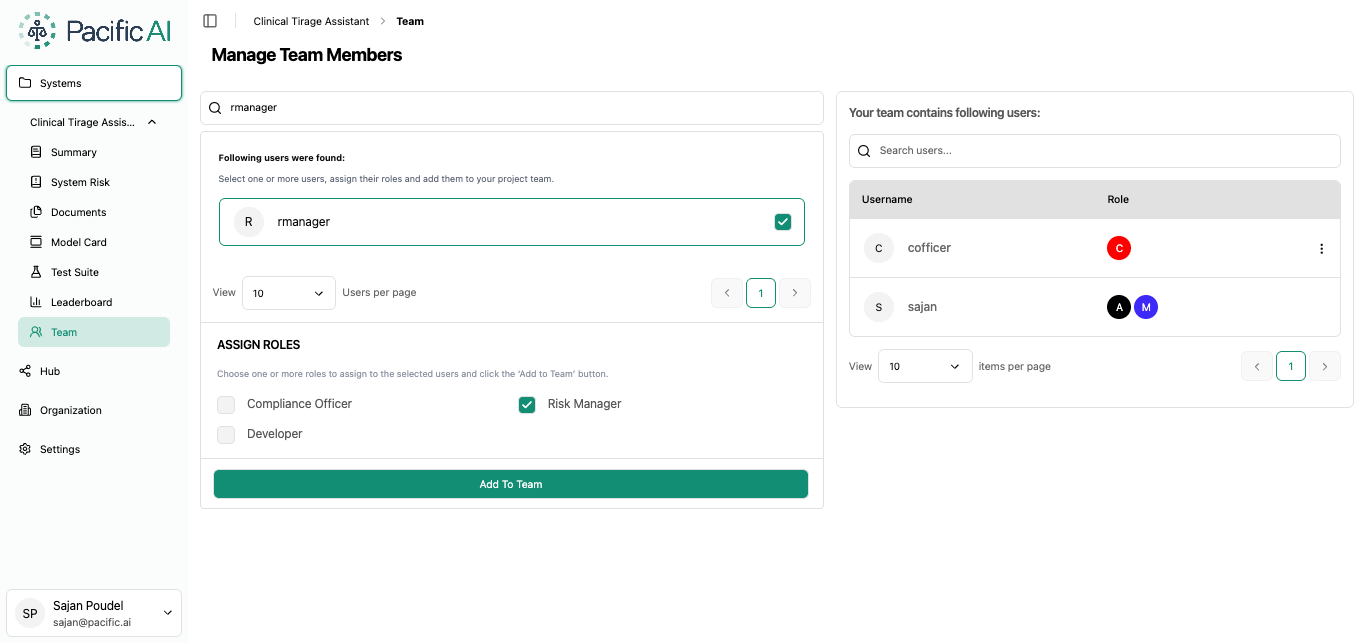
System-Level Roles
Section titled “System-Level Roles”Pacific AI supports the following system-level roles:
Risk Manager
Section titled “Risk Manager”The Risk Manager is responsible for the operational management of the system.
This role can:
- Create and edit system information
- Upload and manage system documents
- Generate Model Cards
- Initiate and manage Risk Assessments
- Create, edit, and delete Test Suites and Test Runs
Compliance Officer
Section titled “Compliance Officer”The Compliance Officer is responsible for governance and compliance activities within the system.
This role can:
- Review Risk Assessments
- Approve or reject Risk Assessments
- Set the Lifecycle Stage
- Set the Risk Level
- View Organization profile information
Developer
Section titled “Developer”The Developer is responsible for technical evaluation and testing activities within the system.
This role can:
- View system information
- View system documents
- Create and manage Test Suites
- Create and manage Test Runs
Member
Section titled “Member”The Member role provides read-only access to an assigned system.
Members can view all pages and information available within the system, but cannot make changes to the system or its associated configuration.
A Member can access system information, documents, risk information, Model Cards, Test Suites, evaluation results, vendors, teams, monitoring information, and other available system pages based on the system’s configuration.
Assigning Users to a System
Section titled “Assigning Users to a System”Once a system is created, authorized users can assign users to the system and select an appropriate system-level role for each user.
The assigned role determines the user’s permissions within that system. Users can have different system-level roles for different systems based on their responsibilities.
For information about creating and managing users, application-level roles, and user permissions, see User & Roles Page