
Model Card
A CHAI Model Card is a standardized documentation framework developed by the Coalition for Health AI (CHAI) to provide comprehensive, transparent information about AI models used in healthcare settings.
Model Cards serve as structured “nutrition labels” for healthcare AI models, providing clinicians, administrators, patients, and regulators with essential information to evaluate whether a model is safe, effective, and appropriate for its intended clinical use. They promote transparency, accountability, and trust in healthcare AI deployment.
Pacific AI’s Governor module automates the generation of CHAI-compliant Model Cards by:
- Collecting required information throughout the AI development lifecycle
- Automatically populating Model Card sections with governance data
- Ensuring completeness and compliance with CHAI standards
- Publishing Model Cards directly to CHAI’s registry for certified systems
- Maintaining version control and update tracking
Model Cards are automatically generated based on the system’s uploaded documents, test results and other System’s configuration and can be manually edited.
This automation reduces the documentation burden on development teams while ensuring that all necessary information for responsible AI deployment is captured, verified, and transparently communicated.
Accessing the Model Card
Section titled “Accessing the Model Card”Navigate to System -> Model Card from the left-side menu under a specific system.
By default, the Preview view is displayed. The system name and developer information are automatically populated based on the system configuration.
To make changes manually, navigate to the relevant tab, click on the Edit icon of the section to edit and edit the model card.
Generating a Model Card
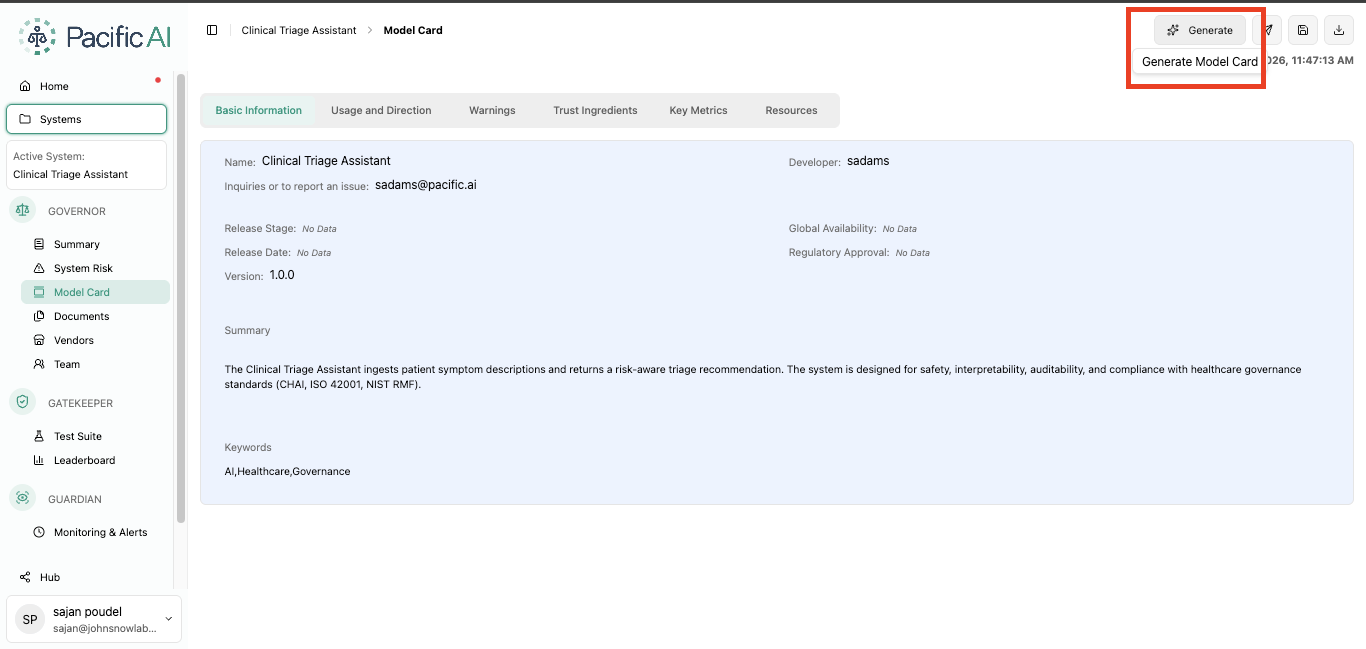
Section titled “Generating a Model Card”Users can automatically generate a new Model Card by selecting Generate Model Card by clicking on the Generate button on top of the Model Card page.
When generated automatically:
- Content is derived from uploaded system documents
- Architecture and risk information is incorporated
- Test evaluation metrics are included, if available
This provides a structured starting point that can be refined before finalization by manually editing the specific sections of the Model Card.
Editing a Model Card
Section titled “Editing a Model Card”After generation, users can update any section of the Model Card manually by navigatin to the appropriate tab and then selecting the section to edit.
Users may:
- Clarify system purpose and intended use
- Refine risk descriptions
- Add limitations or usage constraints
- Update performance summaries
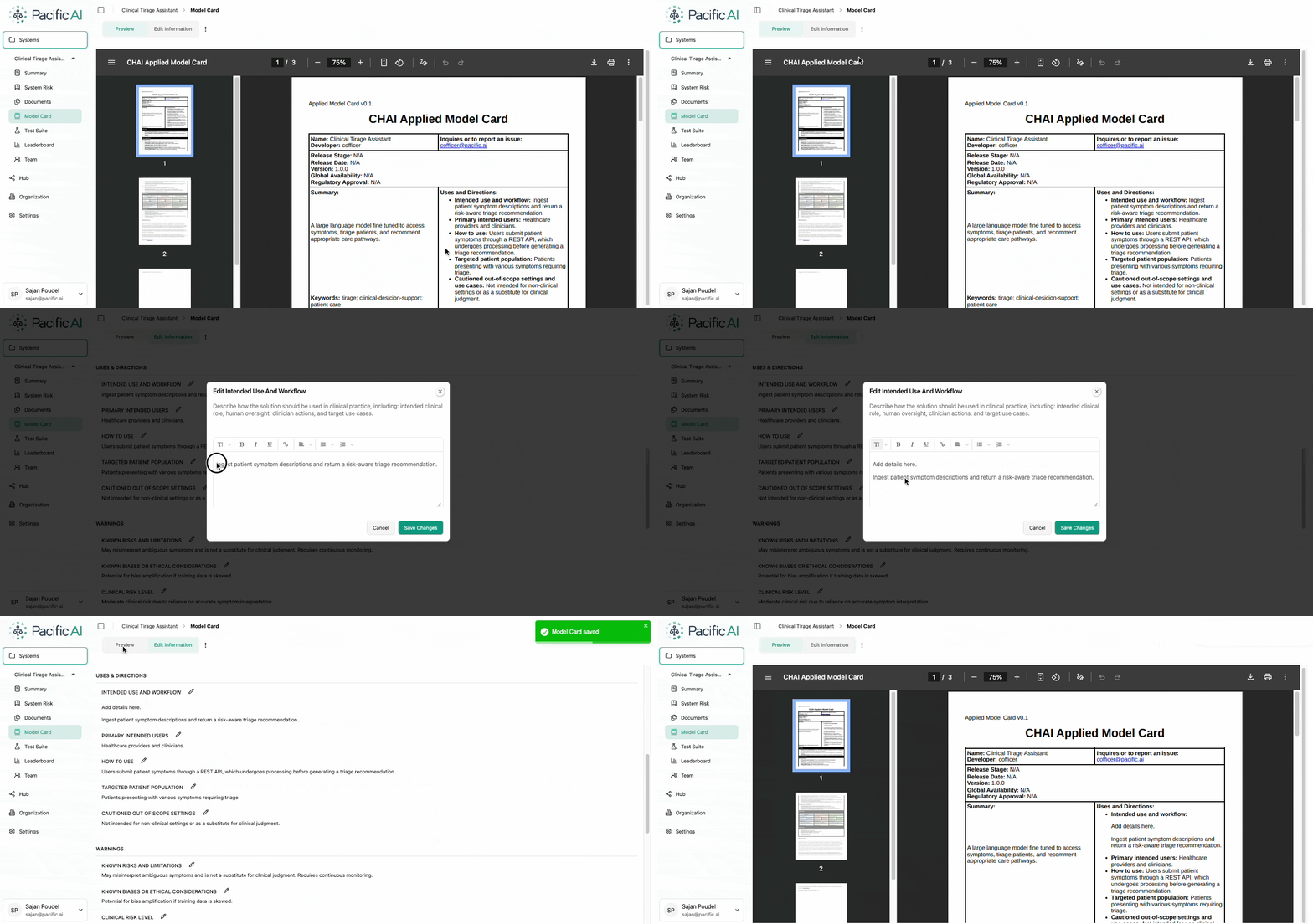
Manual editing ensures that the Model Card accurately reflects the system’s current state.
Saving, Downloading and Publishing Model Card
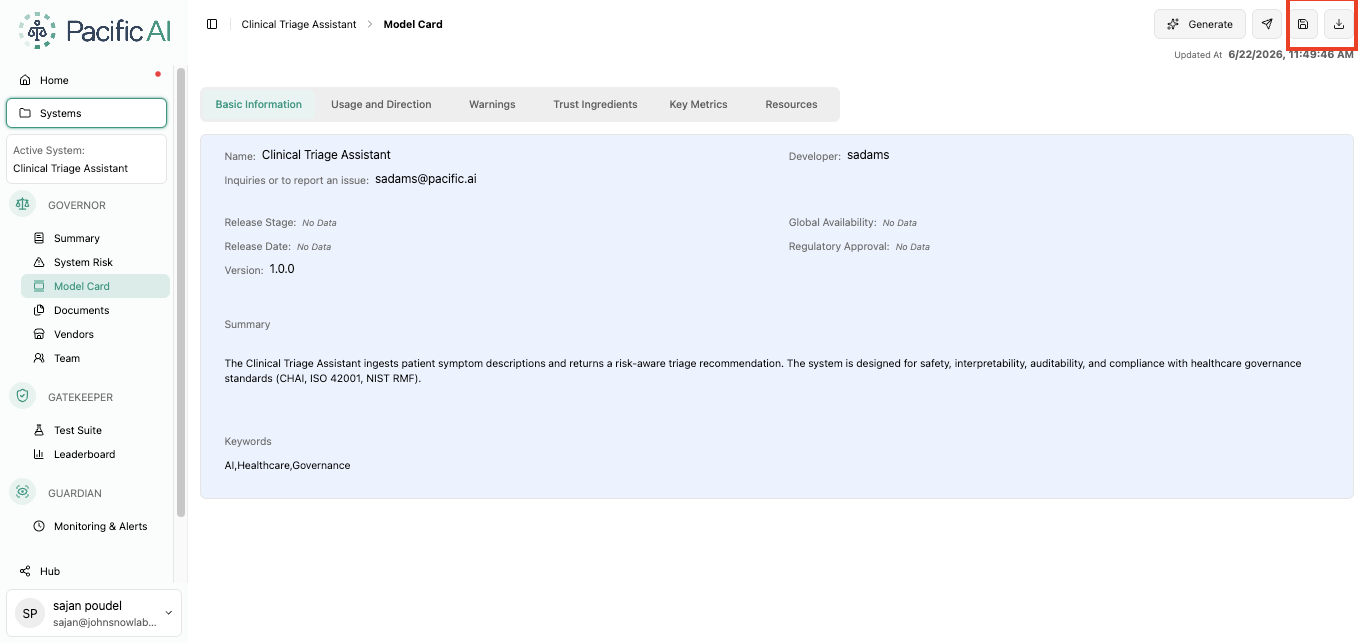
Section titled “Saving, Downloading and Publishing Model Card”Once a Model Card has been generated or updated, users can access the available actions from the options menu located in the top-right corner of the Model Card page.
The following actions are available:
-
Save – Save the Model Card directly to the Documents page under the Model Card category for future reference and version management.
-
Download – Download the Model Card as pdf for offline use, sharing with stakeholders, or external submission.
-
Publish to the CHAI Registry – Publish the Model Card to the CHAI Registry for external sharing and collaboration.
Publishing to the CHAI Registry
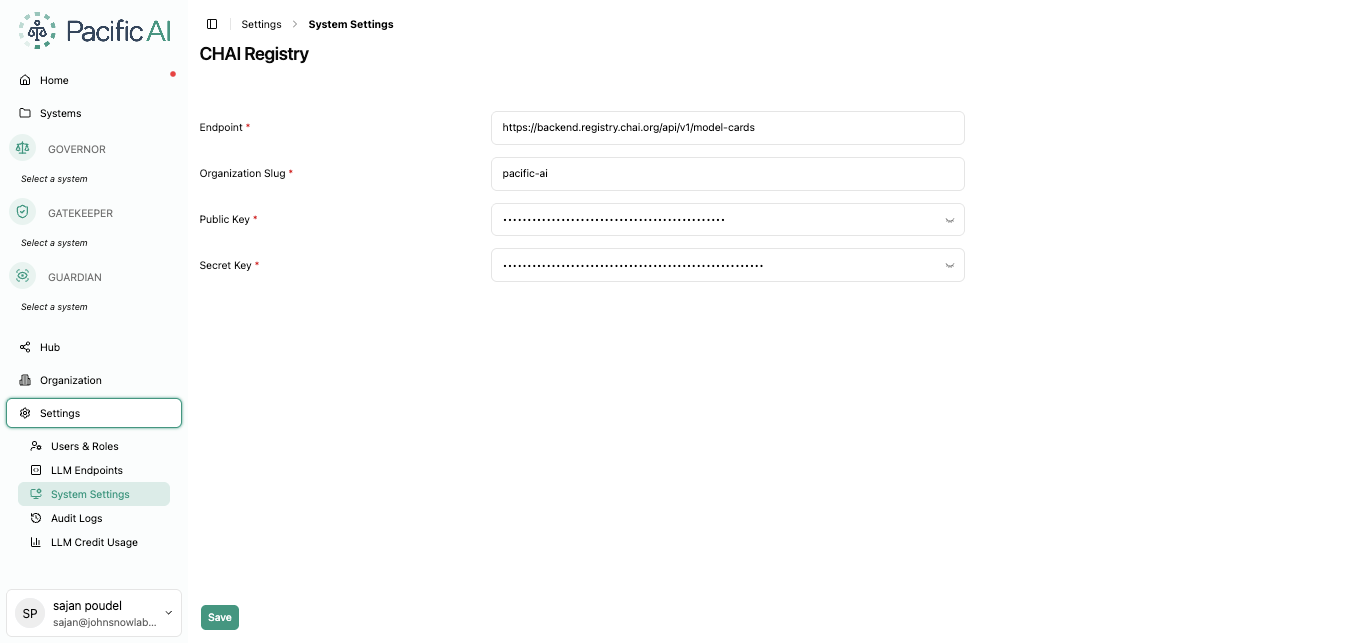
Section titled “Publishing to the CHAI Registry”Before publishing a Model Card to the CHAI Registry, users must first configure their CHAI Registry credentials.
To configure the credentials:
- Navigate to Settings → System Settings.
- Enter and save the CHAI Registry credentials.
- Return to the Model Card page.
- Select Publish to CHAI Registry from the options menu.
Once the credentials have been configured, users can publish Model Cards directly from the Model Card page.
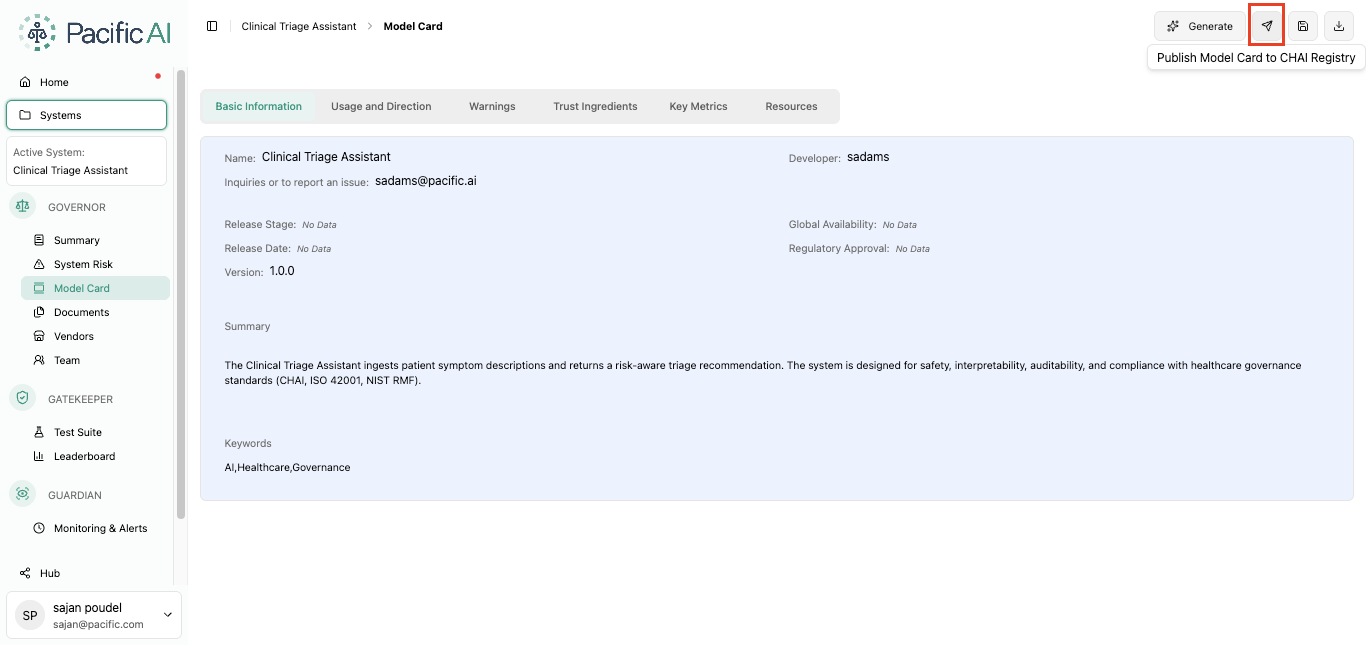
The options are available on the top right corner on the Model Card page.
The Model Card promotes transparency, structured documentation, and clear communication of system capabilities and risks across technical, governance, and compliance stakeholders.