
Audit Logs
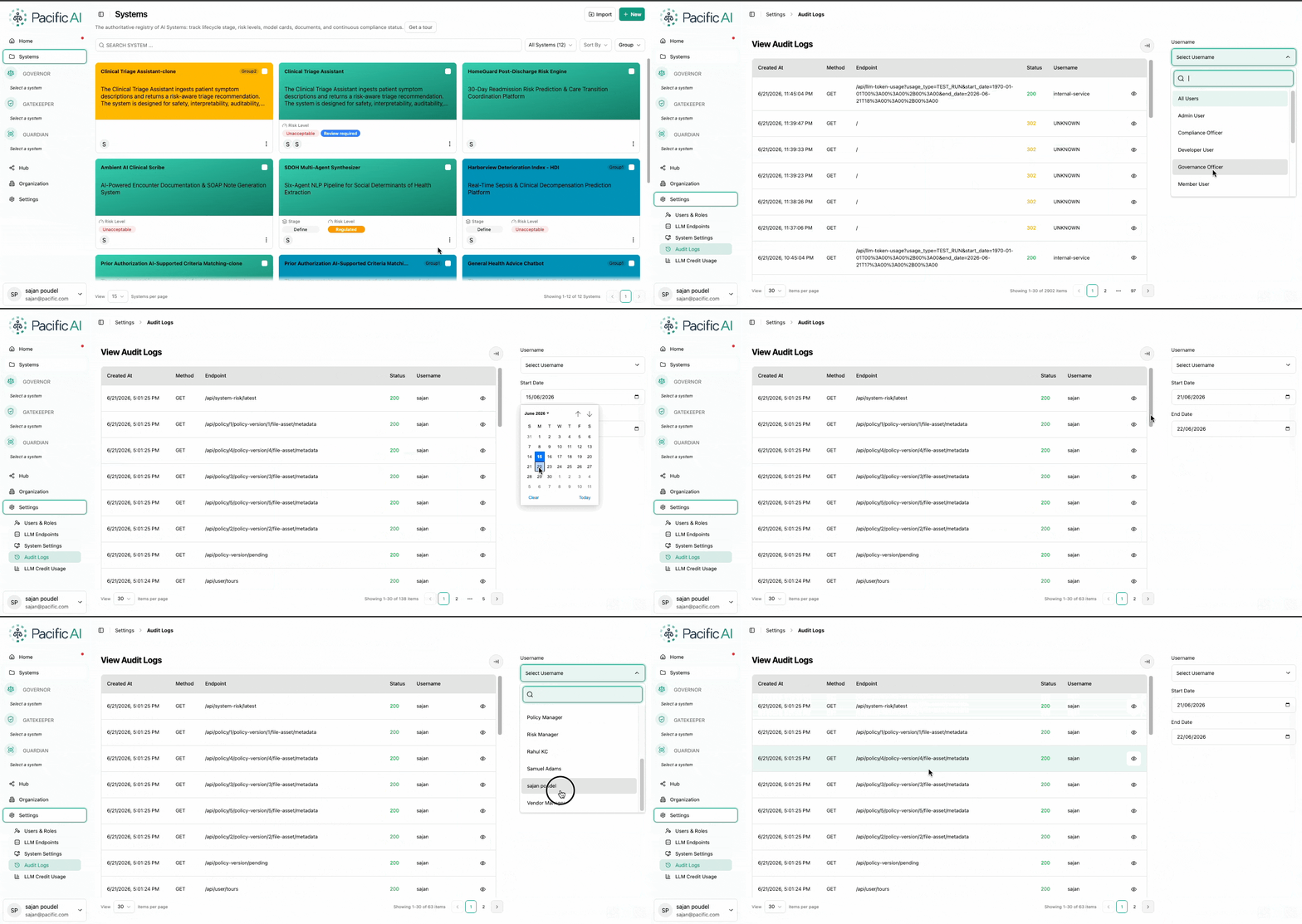
The Audit Logs feature provides a detailed record of all activities performed within Pacific AI. It enables administrators to track user actions, monitor system usage, and review API interactions for transparency and traceability.
Audit Logs are accessible to users with Admin privileges.
Access Audit Logs
Section titled “Access Audit Logs”- Navigate to Settings → Audit Logs
This page displays a chronological list of all recorded activities within the application.
Logged Information
Section titled “Logged Information”The system captures:
- User actions (e.g., GET, POST, DELETE operations)
- API calls made within the platform
- Timestamps for each activity
Each entry provides a clear record of what action was performed, when it occurred, and by whom.
Filtering and Search
Section titled “Filtering and Search”To simplify analysis, administrators can filter audit logs based on:
- User – View activities performed by a specific user
- Date Range – Narrow down logs within a selected time period
These filters help in quickly locating relevant events and reviewing specific activities.
Audit Logs support operational monitoring and provide visibility into system usage and changes across the platform.