Endpoints
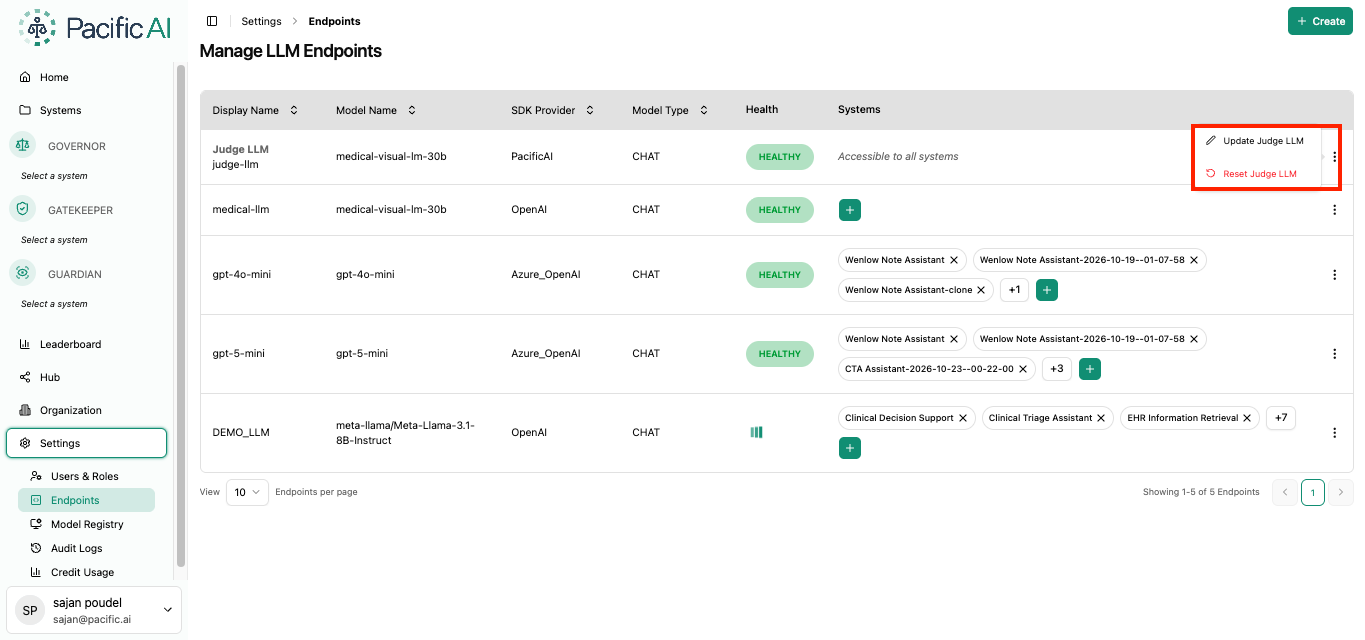
The Endpoints page allows users to configure the LLM endpoints used by Pacific AI for Test Suite evaluations and configure the Judge LLM used to evaluate test results.
At least one LLM endpoint must be configured before a Test Suite can be created or executed. Systems must be assigned to an endpoint before the endpoint can be used for testing.
The page also provides configuration for the Judge LLM, which is used to evaluate and score Test Suite results.
LLM Endpoints
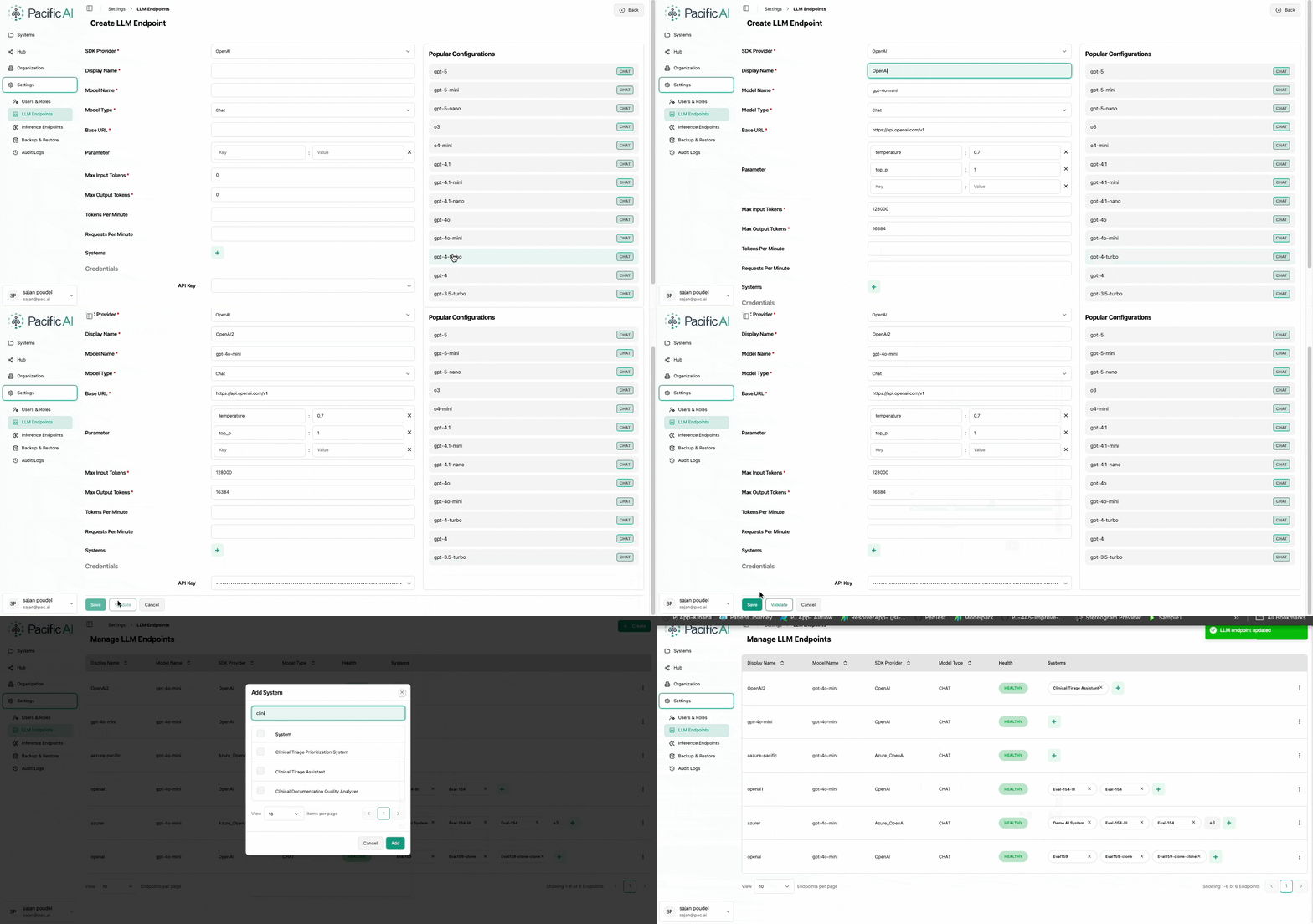
Section titled “LLM Endpoints”Users can add and manage LLM endpoints by providing the required endpoint information and assigning the systems that are permitted to use the endpoint.
An LLM endpoint includes information such as:
- Endpoint URL
- SDK configuration
- Secret or API Key
- Assigned Systems
Only systems explicitly assigned to an LLM endpoint can access it for testing. If a system is not assigned to an endpoint, that endpoint will not be available when configuring a Test Suite.
Judge LLM
Section titled “Judge LLM”The Judge LLM is the model Pacific AI uses to evaluate the results produced during Test Suite executions. It is configured in the same way as an LLM Endpoint, from the Endpoints page in Settings.
If no Judge LLM is configured, Pacific AI uses its default Judge LLM for evaluations.
Recommended Model
Section titled “Recommended Model”For best results, we recommend using the Pacific AI recommended Judge LLM model on AWS Marketplace.
Configure the Judge LLM
Section titled “Configure the Judge LLM”- Navigate to Settings → Endpoints.
- In the Endpoints list, find the first entry, named Judge LLM. Click its three-dot menu and select Create Judge LLM.
- Configure the Judge LLM as you would a new Endpoint:
- Select the SDK provider.
- Enter the required credentials.
- If the model is deployed on Amazon SageMaker, enable the SageMaker deployment option.
- Validate the configuration, then Save it.
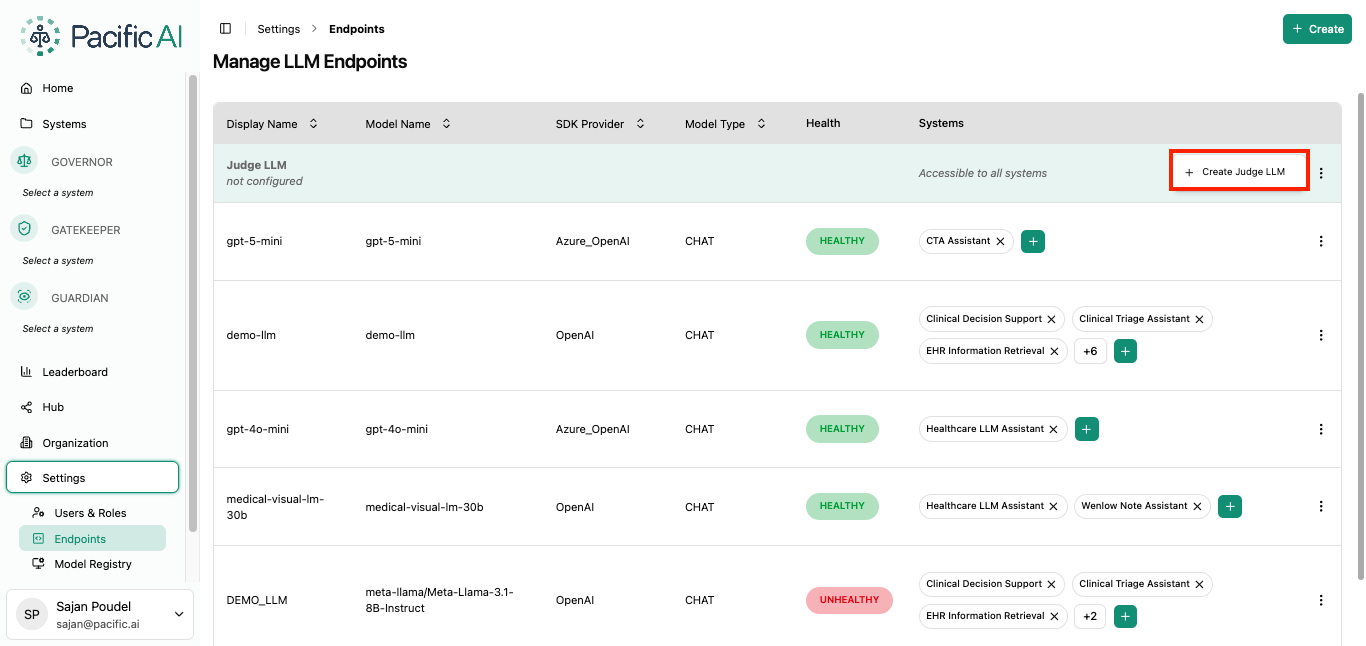
Once saved, the configured model is used as the Judge LLM for subsequent Test Suite evaluations.
Update or Clear the Judge LLM
Section titled “Update or Clear the Judge LLM”After a Judge LLM has been configured, click the three-dot menu on the Judge LLM entry in the Endpoints list. The menu shows two options:
- Update Judge LLM: Change the SDK provider, credentials, or other settings of the configured model, then validate and save.
- Clear Judge LLM: Remove the configured model. Pacific AI then returns to using the default Judge LLM for evaluations. The Judge LLM entry itself cannot be deleted from the Endpoints page.