
System Creation and Management
Create New System
Section titled “Create New System”Only a user with Risk manager role can create a new system. User can create a system by clicking on the + New button on top right of the Systems Dashboard. Each system in Pacific AI must include:
- A unique name
- A short description
- A system version
- Relevant keywords or tags
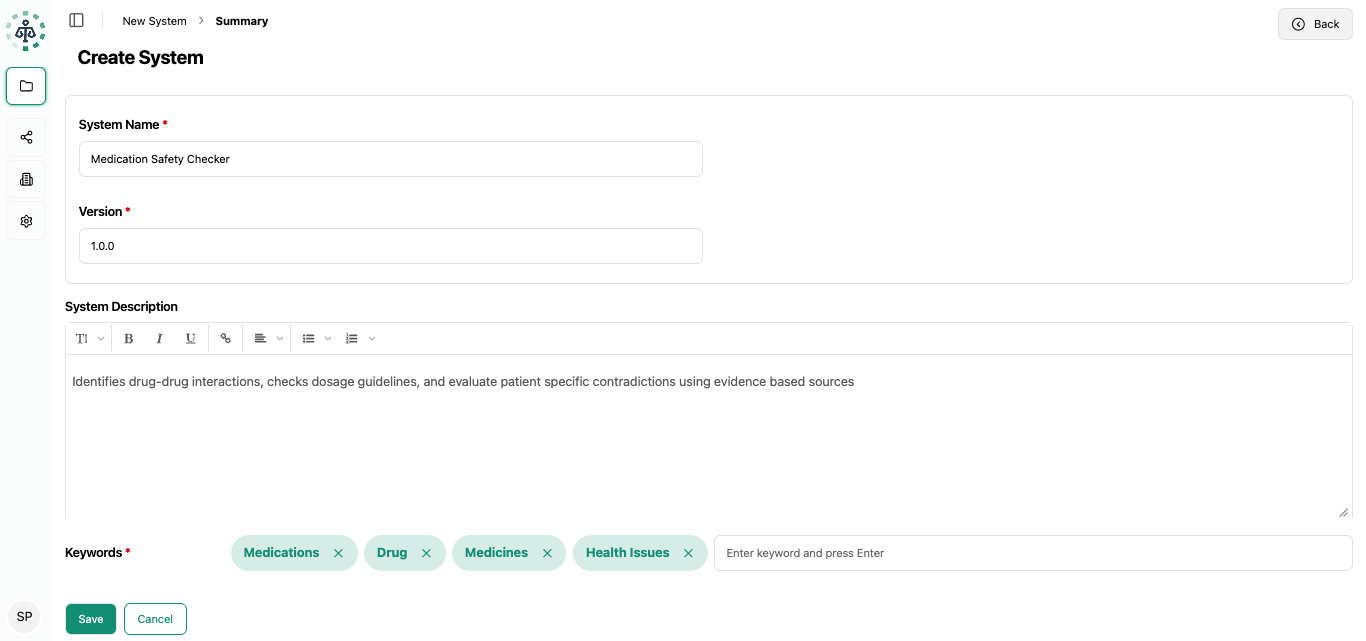
This information ensures traceability, searchability, and version control across the platform.
Clone an existing System
Section titled “Clone an existing System”Create a duplicate of an existing system using the Clone option available in the system’s kebab menu.
- The cloned system retains configuration and metadata
- A “cloned” suffix is automatically added to differentiate it from the original
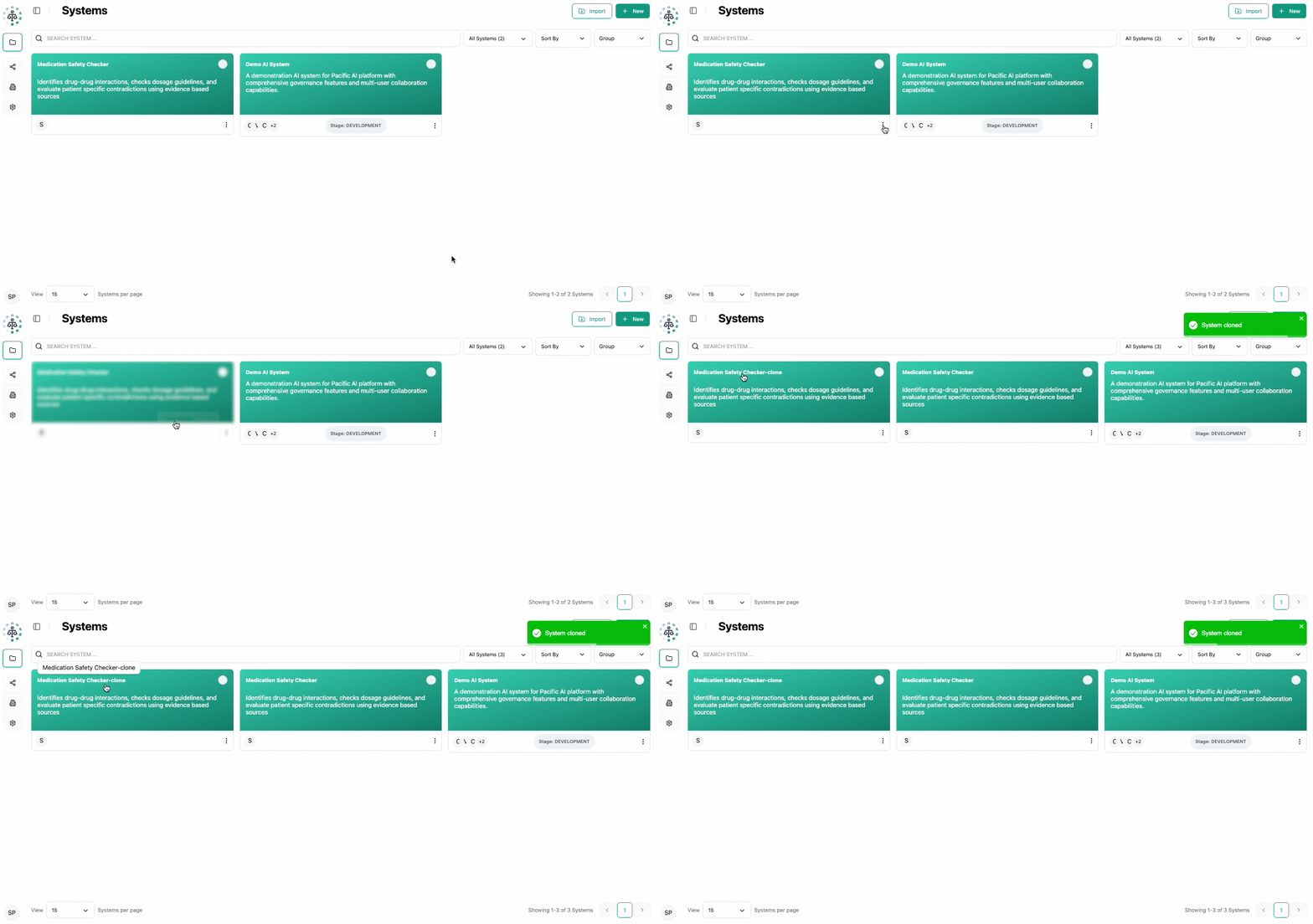
Cloning is useful for testing changes, creating new versions, or reusing configurations.
Export an existing System
Section titled “Export an existing System”Export a system from the kebab menu.
- The export generates a ZIP archive
- All system data, configuration, and associated documents are included
Import a System
Section titled “Import a System”Import a previously exported system by uploading the ZIP archive.
- All original configurations, metadata, and documents are restored
- The imported system is created as a new copy within the platform
System Grouping
Section titled “System Grouping”To improve organization, systems can be grouped.
- Assign one or more systems to a group
- Assign a color to each group for visual identification
- Systems can be moved between groups at any time
- Filter the system list by group name
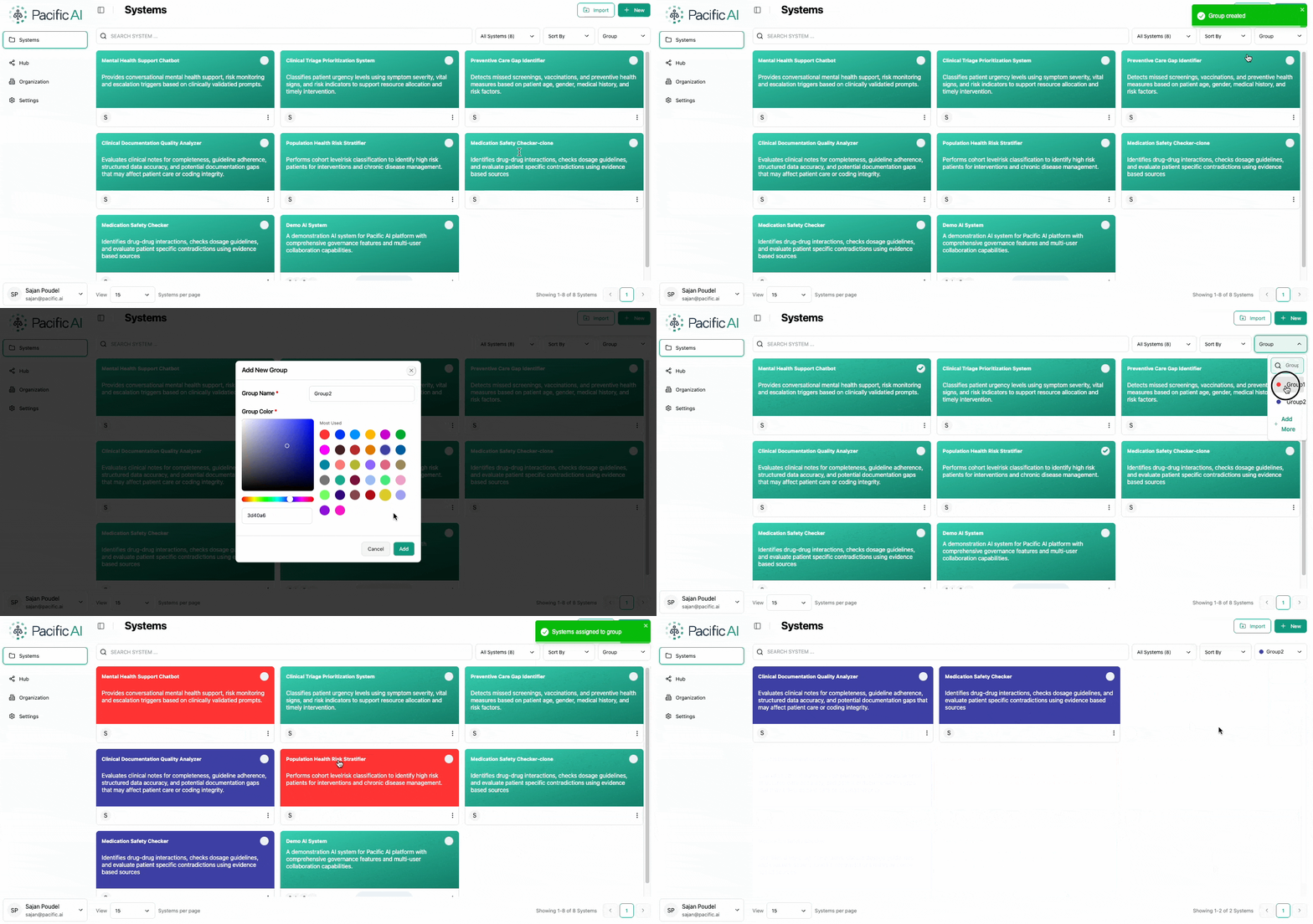
Grouping helps manage large numbers of systems efficiently.